Need help using The Movement Org? This guide covers the main areas of the platform, including Discovery, profiles, digital products, purchases, bookings, seller tools, and account access.
For general questions, please check the FAQs first. Direct platform support is available for paid customers, Pro Dancers, and active sellers.
Getting Started
The Movement Org is built for dancers, viewers, customers, and creative professionals.
You can use the platform to browse Discovery, view dancer profiles, purchase digital products, manage your own dancer profile, or access seller tools if they are available on your account.
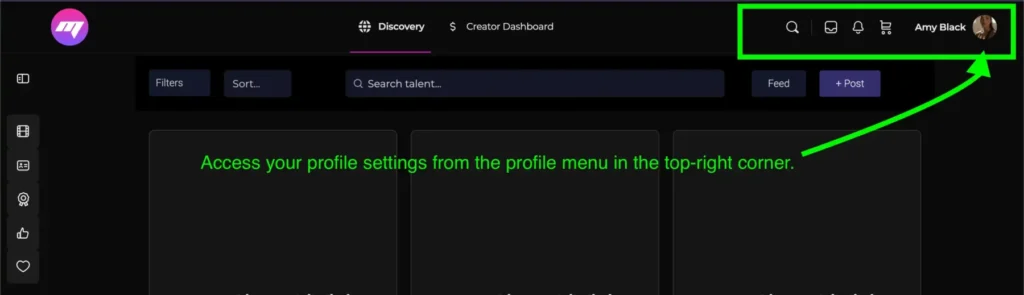
To manage your account, log in and use your profile menu from the top-right corner of the site.
Discovery & Day Passes
Discovery lets viewers browse dancer videos and explore dancer profiles.
Viewing access depends on your account type:
- Logged-out visitors: limited daily viewing
- Free logged-in accounts: extended daily viewing
- Pro Dancers / members: longer daily viewing
- Discovery Day Pass: 24 hours of extended Discovery viewing
The Discovery Day Pass is $2.99 USD and is designed for users who want extra viewing time without upgrading to a full membership.
Profiles
Dancers can manage their profile from the profile menu in the top-right corner of the site.
Your dancer profile may include videos, portfolio images, profile information, dancer level, and other details depending on your membership type.
Please keep your profile accurate and represent your skill level honestly. The Movement Org follows industry standards and expects members to describe their experience, training, and professional level truthfully.
My Library
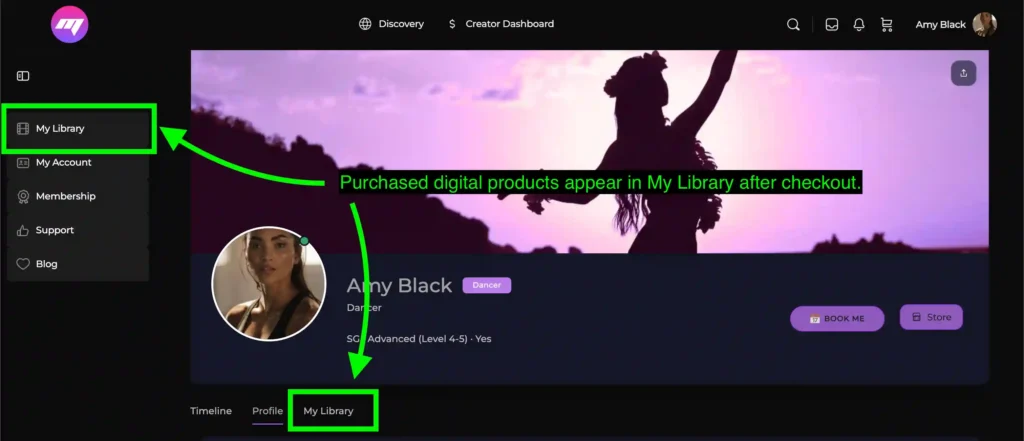
Purchased digital products are available in My Library.
You can access My Library here:
https://themovementorg.com/my-media/
Most video products are streamed through the platform unless the product clearly states that a download is included.
Buying Digital Products
Customers can purchase digital products from dancers through the platform.
After purchase, eligible content will appear in your My Library account area. If a product does not appear after purchase, check that you are logged into the correct account first.
For purchase or access issues, paid customers may contact support.
Selling Digital Products
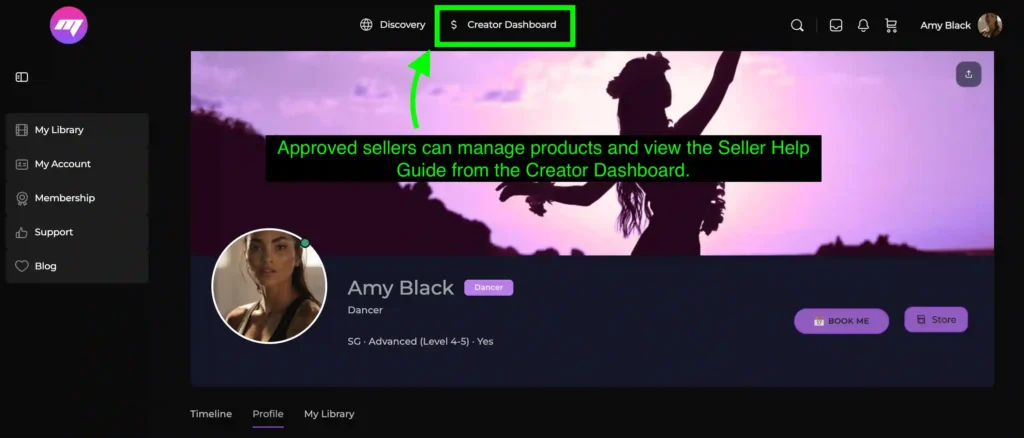
Approved sellers can manage products through the Creator Dashboard.
Creator Dashboard:
https://themovementorg.com/dashboard/
The Seller Help Guide is available inside the dashboard and includes setup steps, product upload guidance, payout information, and links to Dokan documentation.
For more detailed vendor documentation, you can also visit:
Payments & Payouts
The Movement Org uses Stripe Express for seller payouts.
Eligible payments are released instantly on our end after a successful customer purchase. Stripe may then take approximately 3-5 business days to transfer the funds into your connected bank account.
Payout timing may depend on your bank, Stripe verification, weekends, public holidays, and Stripe compliance checks.
For Stripe account, verification, bank account, or payout issues, sellers may need to contact Stripe directly:
Bookings & Enquiries
Customers can submit booking enquiries through the platform.
Free Dancer enquiries may be routed through the platform/admin email. Pro Dancers may receive direct booking enquiries at their own email, depending on their settings.
The Movement Org is not a traditional talent agency. Optional booking support may be available case by case.
Messages, Friends & Follows
Some community features may depend on your account type.
Customers can send and receive messages. Free Dancers may receive messages, while Pro Dancers have expanded messaging access, including the ability to respond to DMs where available.
Friend, follow, and messaging tools are designed to help members connect professionally across the platform.
Account & Dashboard Access
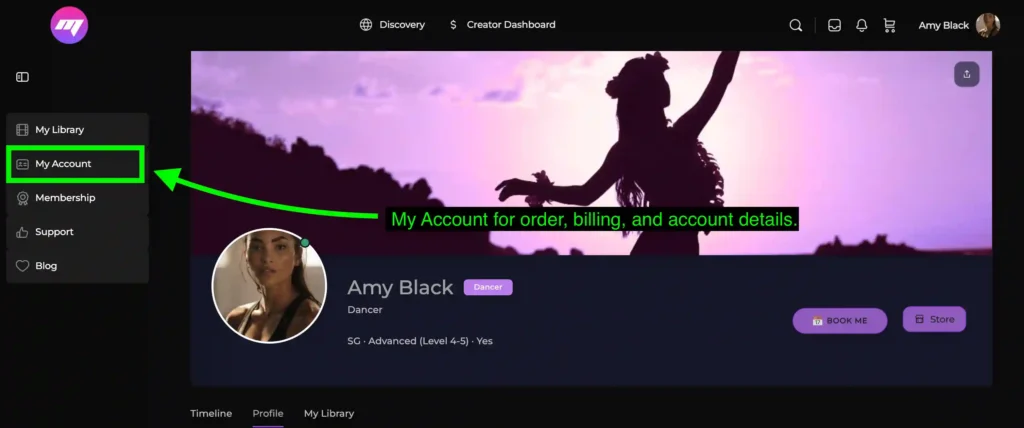
Your main account area can be accessed here:
https://themovementorg.com/my-account/
The Creator Dashboard can be accessed from the main header under Creator Dashboard, or here:
https://themovementorg.com/dashboard/
Your profile settings can be accessed from your profile picture/menu in the top-right corner of the site.
Support
Please check the FAQs and this Help Guide before contacting support.
Direct support is available for:
- Paid customers
- Pro Dancers
- Active sellers/vendors
For support enquiries, contact:
chris.themovementorg@gmail.com
For seller setup, product upload, payout, or dashboard questions, active sellers should use the Seller Help Guide inside the Creator Dashboard first.